
Feature listing stock Worksheet: Access Claims Guests Can Verify

Updated: Aug 27
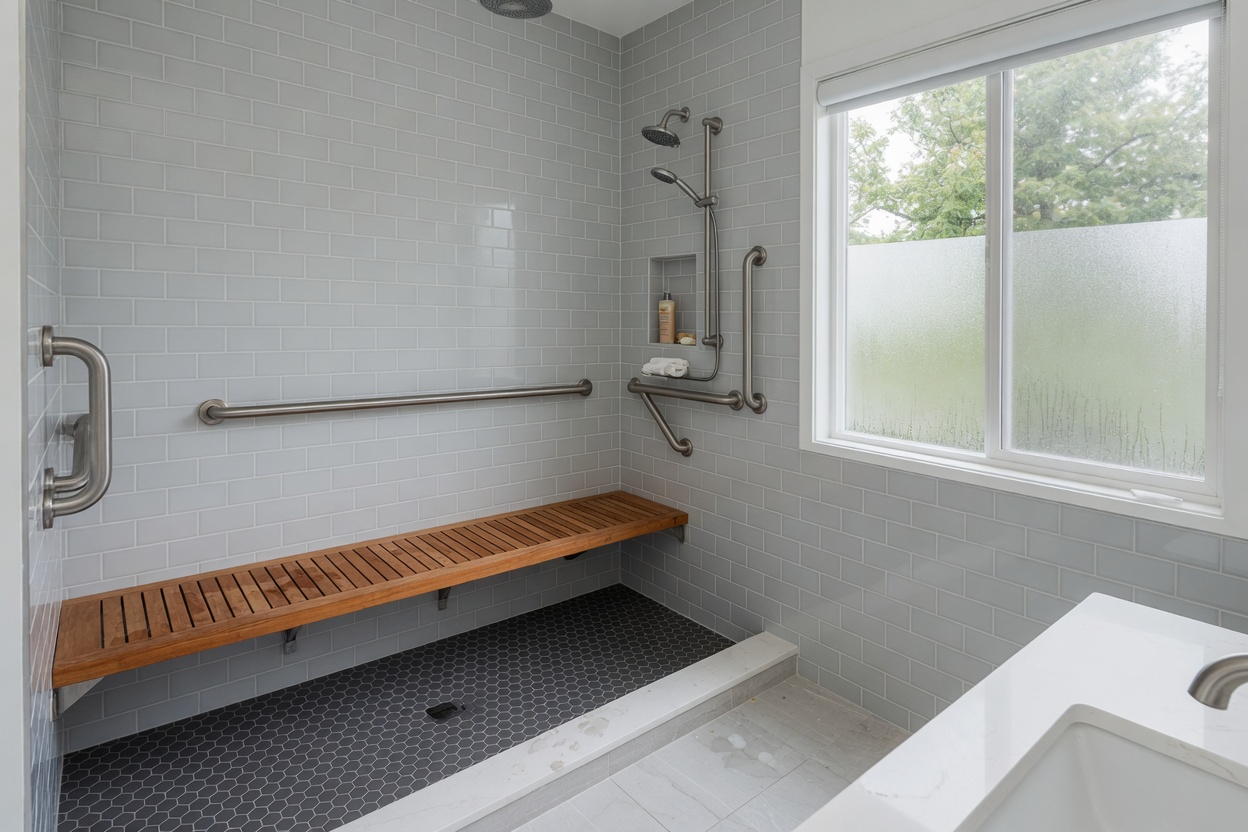
A worksheet is not a promise. It is a private document, and a guest standing at the curb with a suitcase and a dead phone battery never sees it. What that guest sees is the listing photo, the word count of the about section, and the actual staircase in front of them. If those three things disagree, the worksheet did not fail the guest. The listing did, because nobody moved the worksheet's facts onto the page a stranger reads before booking.
This page is about the gap between having accurate access information somewhere in a folder and having it live where it can be checked. It stays narrow on purpose: routes, steps, door widths, gate codes, and parking, each verified with a photo a guest can match on arrival. It does not guess at booking lifts or ranking weight from cleaner copy, and it is not a substitute for confirming fair-housing and platform-specific accessibility rules with a qualified professional. Treat everything here as marketing and operations guidance, not legal advice.
The test that runs through the rest of this page is simple enough to use without a spreadsheet: could a stranger, reading only the public listing, predict exactly what their body will do to get from the curb to the front door? If the answer is no, the worksheet is not done, no matter how many rows it has. This is not legal advice.
What Actually Belongs on the Worksheet
Keep the worksheet short enough to survive contact with a real Tuesday. The rows that matter are the ones a guest's body will register on arrival: step counts at every threshold, elevator hours if the building has one, gate codes and who resets them, walk time from the nearest legal parking to the front door, and any height or placard limit that would turn away a guest with a trailer or an oversized vehicle. Each row needs a photo taken the day you measured it, not a photo pulled from the listing gallery for a different purpose.
Two more rows matter more than most hosts give them credit for. The first is a plain sentence describing who the stay does not fit , a guest who cannot manage a flight of exterior stairs, for instance, or a guest arriving after the elevator's posted hours. Naming the mismatch is not a marketing weakness; it is the sentence that keeps a bad-fit guest from booking in the first place. The second is a date. A worksheet without a verification date is a worksheet nobody can trust, including the host who wrote it.
Resist the urge to pad this list with anything a guest cannot verify by walking the property. Square footage claims, neighborhood characterizations, and comparisons to other listings do not belong on an access worksheet. They belong somewhere else, if anywhere at all. The worksheet exists to answer one narrow question , what will this guest's body encounter , and it should not be asked to do more than that.
Walk the Route Before You Publish the Claim
Every access claim on a live listing should trace back to a specific afternoon when someone walked the route with a tape measure and a camera. Measure doorway widths at their narrowest point, not their frame. Count steps at every transition, including the ones inside the unit that a floor plan tends to smooth over. Time the walk from the parking spot a guest will actually use, not the spot closest to the door that happens to belong to a neighbor.
If access depends on something the host does not fully control , a shared gate, a seasonal path that washes out in spring, a neighbor's driveway that provides the only turnaround space , that dependency belongs above the fold, not in a footnote. A guest who learns about a shared gate for the first time at ten at night, standing in the dark trying a code that was never given to them, is a guest who will describe the whole stay as a surprise, and the review will read that way regardless of how nice the interior turned out to be.
The photograph matters as much as the measurement. A step count without a photo is a claim a guest has to take on faith, and faith is exactly what breaks when the actual staircase looks nothing like what the guest pictured. Photograph the claim the way you would photograph proof for an insurance adjuster: dated, unedited, and taken from the angle a guest will actually experience it.
A Stale Worksheet Is Worse Than No Worksheet
An access worksheet is a snapshot, and snapshots go out of date the moment something on the property changes. New furniture that narrows a hallway, a ramp added after a prior guest flagged a step, a path closed for a season while a retaining wall gets rebuilt , any of these turns a previously accurate worksheet into an active liability, because a guest who read the old claim will still expect the old reality.
This is the argument for treating the worksheet as a living document tied to specific triggers rather than a one-time project to check off. Every time the physical property changes in a way that touches a route, a door, or a parking arrangement, the worksheet update is not optional homework for later , it is part of finishing that renovation or furniture swap. The stairs a contractor just widened are not done until the listing photo showing them is also updated.
A host who lets the worksheet drift out of sync with the property is, in effect, publishing fiction with a verification date stamped on it for credibility. The date on the row is only useful if it reflects when the claim was last true, and a worksheet nobody has touched since a bathroom remodel is quietly lying by omission, even if every sentence on it was accurate on the day it was written.
The Five Anti-Patterns Worth Retiring on Sight
Most access-worksheet failures trace back to one of five recognizable habits. The first is claiming access without a photo, which asks a guest to trust a sentence with nothing behind it. The second is hiding a real step count below a lifestyle description, so the friction a guest will meet is technically disclosed but functionally buried. The third is pausing guest-inbox replies to build a worksheet template, which trades an open thread with a real, paying guest for a private document that guest will never see.
The fourth anti-pattern is measuring the worksheet project by its own word count or row count rather than by whether the public listing changed. A forty-row internal document that never gets summarized into the listing has produced exactly nothing for the guest experience. The fifth is copying a neighboring property's access description because the buildings look similar from the street , a habit that fails the moment the two buildings' elevators, gates, or step counts turn out to differ, which they usually do.
None of these five is disqualifying on its own, and a host who recognizes one in their own process is not behind , they are exactly where most hosts start. The only mistake worth avoiding twice is noticing the pattern and deciding the private worksheet is close enough to fix the public gap.
Let the Last Three Guest Questions Write the Next Edit
The fastest way to find what the worksheet is missing is to reread the last three access-related questions a guest actually asked, rather than trying to imagine every scenario from a blank page. If two of the last three inquiries asked about parking, parking is where the listing is currently unclear, and no amount of polish elsewhere will fix that particular gap.
Turn one of those questions into a single rewritten line on the public listing this week, date the edit, and then watch whether that specific question stops arriving. A question that keeps recurring after the edit means the edit did not land where the guest is actually looking, which is useful information in itself , it usually means the fix belongs in the first five photos rather than in a paragraph of house-rules text nobody scrolls to.
This is a slower, more literal process than writing a comprehensive worksheet in one sitting, and that is the point. A worksheet built from guesses about what guests might ask tends to answer questions nobody has, while the actual friction sits untouched. A worksheet built from the inbox answers exactly the questions that are costing bookings or generating mid-stay complaints right now.
The Composite Failure: A Finished Worksheet, an Unchanged Listing
The most common way this whole project fails is also the most invisible one to the host doing the work. The worksheet gets finished , every row filled in, every step counted, every photo taken and dated , and then it sits in a folder while the public listing keeps its original, vaguer language. The guest who books never sees the worksheet. They see the same listing that existed before the project started, and they ask the same stair question they would have asked regardless.
This failure is easy to miss because the work genuinely happened. Hours went into measuring and photographing, and it feels like progress. But progress that never crosses onto the public page a guest reads is not marketing progress; it is private documentation, useful mainly as an internal reference for the host's own memory. The worksheet's value only activates once its verified lines replace the vague ones currently on the listing.
The fix is not a bigger worksheet. It is moving the two or three claims that matter most , the ones tied to the questions guests are actually asking , onto the first screen of the listing with a matchable photo attached, and treating that transfer as the actual deliverable rather than the worksheet itself.
What an Access Worksheet Can Honestly Claim
An access worksheet can responsibly claim exactly what someone measured and photographed: a step count, a door width, a walk time, a gate code process. It cannot responsibly claim a ranking benefit from having written those things down, and it cannot substitute for an actual reading of fair-housing or platform accessibility rules that apply to how access limitations are described and marketed. Those questions belong with a qualified professional, not with a marketing worksheet.
It also cannot resolve an HOA or building-management dispute about who is responsible for an elevator's operating hours or a gate's maintenance. The worksheet's job is to describe the access reality as it currently exists for a guest, dated and photographed, not to adjudicate whose fault a broken gate is. If that dispute is unresolved, the honest worksheet entry says the gate is currently unreliable and gives the guest the fallback plan, rather than promising an access feature that might not be working the week they arrive.
When the listing already states these facts accurately and access questions have gone quiet, additional worksheet rows are optional labor. Bring the worksheet back out when a renovation changes the property, when a new pattern of guest questions appears, or when a claim currently on the listing can no longer be verified by walking the route.
When the Worksheet Is Actually Done
The worksheet is done, for now, when three things are true at once: every access claim published on the listing has a matchable, dated photo behind it; step counts, elevator limits, and parking walk times are stated on the public page rather than left for a guest to discover on arrival; and the specific access questions that used to arrive in the inbox have measurably slowed. That third condition is the one that actually proves the first two worked.
Reaching that point does not mean the property became more accessible. It means the listing stopped overpromising or underpromising what the property already is, which is a different and more achievable goal. A host with a genuinely tricky staircase who states it clearly, with a photo, will get fewer mismatched bookings and fewer refund conversations than a host with an easier building who leaves the access section vague.
After that point, more worksheet rows are optional load rather than required maintenance. The next work worth doing is watching for the trigger that reopens the file , a renovation, a new guest-question pattern, or a claim that time has quietly made untrue , rather than treating the worksheet as a project that needs a bigger version next quarter.
Related Reading
More independent-host reading on honest listing copy, distribution, and when hiring help is worth it.
Frequently Asked Questions
What is the single most important row on an access worksheet?
The verification date. A row without a date is a claim nobody, including the host, can vouch for months later. Everything else on the worksheet — step counts, gate codes, walk times — is only as trustworthy as the date attached to it, because access conditions change with renovations, seasons, and shared-gate maintenance. A worksheet with accurate measurements but no dates will quietly go stale and nobody will notice until a guest complains.
How often does a host actually need to re-walk the access route?
Not on a fixed calendar — on triggers. Re-walk the route after any furniture change that narrows a hallway, any construction that closes or reroutes a path, any season that affects a shared driveway or gate, and any time a guest question suggests the current description no longer matches what they found. A fixed annual schedule misses the mid-year renovation that actually changed the facts on the ground.
Is it ever acceptable to reuse a neighboring property's access photos?
No. Even visually similar buildings differ in step counts, gate codes, and elevator reliability, and a guest matches photos against the specific unit they booked, not the building's general appearance. Borrowed photos also create a credibility problem the moment a guest notices a detail that doesn't match — a mismatched railing color or door number — which undermines every other claim on the listing, not just the access section.
What should a host fix first if the worksheet project has stalled?
Pick the single access claim tied to the most recent guest question, verify it with a dated photo, and publish that one line on the listing this week. A stalled worksheet usually stalled because it tried to be comprehensive before it was useful. One verified, published claim does more for guest trust than twenty unpublished rows sitting in a document nobody but the host will ever read.
How does a buyer evaluate an access worksheet during due diligence on a listing?
A buyer should treat the worksheet as evidence of process, not as proof of anything on its own — the real signal is whether the worksheet's claims actually appear on the live listing and match a walkthrough. A worksheet full of dated, photographed rows that never made it onto the public page tells a buyer the seller understood the gap but never closed it, which is a maintenance liability the buyer inherits along with the listing.
Should a listing state that a property has no steps if that's true?
Yes, briefly, and only if it is verifiably true for the entire route from parking to the front door, not just the final approach. A flat property is a genuine selling point for guests managing mobility limits, luggage, or strollers, and stating it clearly saves those guests from having to ask. Do not extend the claim to interior thresholds or a bathroom step without checking those separately.
What if disclosing a real access limitation scares off some bookings?
That is the worksheet working as intended, not a failure of it. A booking lost because a guest read an accurate step count and decided the stay wasn't a fit is a refund conversation and a bad review that never happened. The bookings worth protecting are the ones from guests who read the real access facts and booked anyway, because those are the stays least likely to end in a complaint about something the listing should have said.
Does an accessibility-focused worksheet satisfy fair-housing or platform accessibility requirements?
No, and this page does not attempt to answer that question. An access worksheet is a marketing and operations tool for describing physical conditions accurately; it is not a compliance review. Hosts with specific fair-housing, ADA, or platform-policy questions about how accessibility features are described or marketed should confirm the current rules with a qualified professional rather than relying on a worksheet template.
When can a host stop actively maintaining the worksheet?
Never entirely, but the active workload should drop once every published claim is verified, dated, and photographed, and guest questions about access have gone quiet. At that point the worksheet becomes something a host revisits only when a trigger reopens it — a renovation, a new complaint pattern, or a claim that has aged past confidence — rather than an ongoing project competing for weekly attention.
Work with Crest & Cove Creative
Claiming access without a photo and burying a real step count both invite the same Saturday: a guest standing at a staircase the listing never mentioned. Name the failure mode the guest can check on the listing.
We help independent hosts rewrite listing and market pages so guests get operable facts instead of soft slogans. Use the live draft and the numbers you can actually cite - we will pressure-test what stays and what gets cut before publish.
Reach out at crestcove.co or (256) 998-7502.


Comments