
Photo and Media Spec Sheets Independent Hosts Can Actually Use

Updated: Aug 28
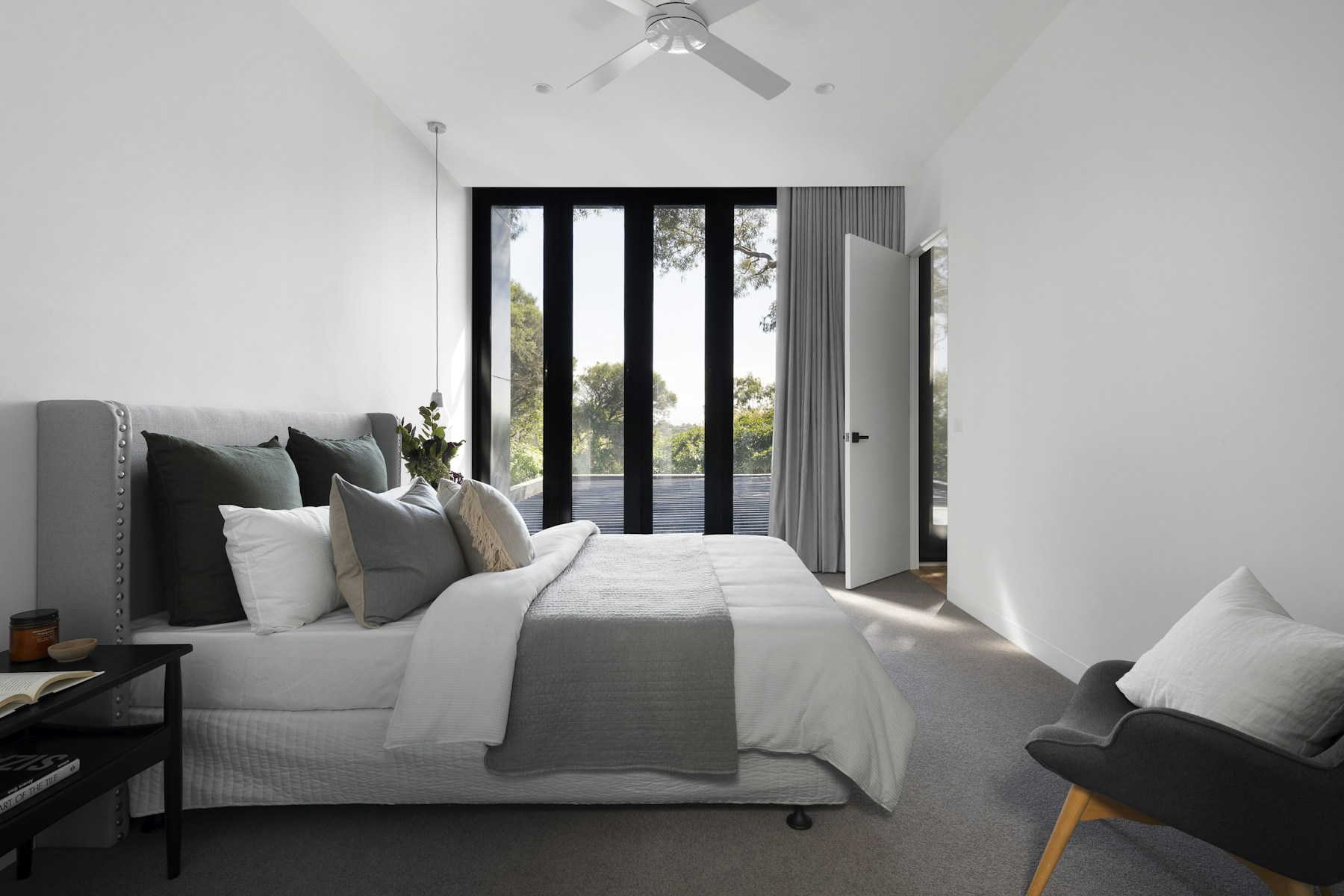
Platforms tweak photo and media requirements often enough that hosts either ignore every notice or chase every one of them. Neither habit protects a listing. The useful middle path is a short spec sheet: a written record of what your current photo set, cover image, and captions actually show, checked against what the platform now requires and what your house delivers on a Saturday afternoon. When a requirement shifts, you compare it to that sheet and decide whether anything on the live listing needs to change.
This post is about that habit, not about any single platform update. It does not estimate a booking lift from new photos, invent a ranking bump for updated captions, or promise a badge for compliance. Photography choices affect first impressions and, indirectly, conversion, but the direct and provable job is simpler: keep the photos, the cover order, and the written specs accurate to the house a guest actually walks into.
What a Photo and Media Spec Sheet Actually Is
A spec sheet is not a shot list and it is not a caption bank. It is a short, dated record of four things: which image sits in the cover position, what each major room's photo shows as of today, what the alt text or caption says about that room, and which platform-specific requirements (minimum resolution, aspect ratio, watermark rules, video length caps) currently apply. When you update photos or a platform changes a rule, you edit this record rather than trying to remember what you last uploaded eight months ago.
Keeping the sheet short matters more than keeping it thorough. A one-page list that gets checked every time you touch the listing is worth more than a twenty-tab folder nobody opens. Most independent hosts manage one to three units; a spec sheet for that portfolio should fit on a single page per listing, with room for a changed-on date next to each line so you can tell at a glance what's stale.
The point of the sheet is accuracy, not decoration. If the cover photo shows a staged living room but the actual furniture arrangement changed after a renovation, that's the kind of drift the sheet is built to catch, because it's the kind of drift that generates a complaint at check-in.
What to Update This Week
Start with the cover photo. Confirm it still matches the current furniture, paint color, and season, a snow-covered exterior shot in July, or a since-removed pool table, undermines trust the moment a guest arrives. Next, check that any photo captions or file names you control still describe what's actually in the frame; generic stock captions left over from a listing template read as neglect.
Then check the practical specs a platform enforces: minimum image resolution, whether a walkthrough video meets the current length or file-size cap, and whether your image order still leads with the room search results actually display. If you haven't reviewed the photo order the search results actually use recently, do that alongside this pass, cover-photo rules and search-tile rules tend to change together.
Don't try to do all of this in one sitting if you manage more than one listing. Pick one unit, run the four checks above, update the spec sheet with today's date, and move to the next unit next week. A rushed pass across five listings in an afternoon tends to miss the same details a slow pass across one listing catches.
Five Mistakes Hosts Make With Photo Specs
The first is updating photos without updating the written description that references them, a caption that still says "pool table in the den" after the den became an office. The second is treating a platform's cosmetic suggestion (a new filter, a suggested caption style) as a requirement, and spending an afternoon on it while an actual guest message sits unanswered.
The third is assuming new photos automatically improve ranking or booking rate; platforms rarely publish that kind of weighting, and a host who assumes it will keep re-shooting without ever checking whether the assumption was true. The fourth is letting seasonal photos linger, a fall foliage cover shot still running in April, because swapping it feels like a low priority next to guest communication.
The fifth is skipping the house-rules and amenities text when photos change. If a renovation removed a hot tub, the photos, the amenities list, and the house rules all need to agree; updating only the photos leaves the written listing contradicting what a guest sees when they arrive.
A Composite Example: One Listing, One Photo Reset
Consider a composite, built from patterns common across independent listings rather than any single property: a three-bedroom house whose owner re-shot photos after a kitchen remodel but never revisited the listing description, which still described the old countertops. Guests kept asking, in pre-arrival messages, whether the photos were current, a question that, repeated often enough, is itself a signal something on the listing doesn't match.
The fix took under an hour: swap the two outdated description lines to match the new kitchen, confirm the cover photo showed the remodeled space rather than a wider exterior shot, and note the change on the spec sheet with the date. The pre-arrival questions about kitchen photos stopped within the next few bookings, not because ranking changed, but because the listing stopped contradicting itself.
The lesson generalizes past kitchens: any renovation, furniture swap, or seasonal change that shows up in photos should trigger the same three-step check, photos, description text, and spec sheet, rather than a photo-only update.
When the Existing Photos Are Already Enough
Not every platform notice requires action. If your cover photo, room photos, and captions already match the current house, and your files already meet the resolution and format minimums a platform lists, a "recommended" change, a new filter style, an optional video format, a suggested caption template, can be skipped without consequence. Chasing every cosmetic suggestion is its own kind of neglect, because it pulls time away from guest communication and pricing review toward tasks that don't change what a guest experiences.
The test is simple: does the change fix a mismatch between what's shown and what's true, or does it just follow a trend? If nothing on the current listing misleads a guest, the listing is already doing its job, and the spec sheet review for that week can end early.
A 30/60-Day Photo and Media Audit
Every 30 to 60 days, independent of any platform announcement, walk the listing the way a first-time guest would: read the title, scan the cover photo, open the gallery in order, and read the house rules and amenities list back to back. Note anywhere the photos and the text disagree, and anywhere either one no longer matches the physical house.
Cross-check this against the stay details that actually influence a guest's booking decision rather than assuming every photo carries equal weight, the cover image and the first three to five gallery photos do most of the work, so audit those first if time is short.
Log the date of the audit and what, if anything, you changed. Over a year, that log becomes a useful record: if bookings dip and you're trying to rule out listing drift as a cause, you can check whether the photos and description were current at the time, instead of guessing.
Related Reading
Keep reading on same-cluster Crest & Cove pages that stay on labeled local lines without costume-corridor copy.
DIY vs Hire Marketing for Photographer for Independent Hosts
Great Barrington MA Airbnb DIY Ceiling: AirROI Pins, Not Leftover
Your Airbnb Helen Ga Marketing: AirROI Pins, Not Leftover Occupancy
Your Airbnb Ellijay Ga Marketing: AirROI Pins, Not Leftover Occupancy
Your Airbnb Valle Crucis Marketing: AirROI Pins, Not Leftover
Your Airbnb Beech Mountain Marketing: AirROI Pins, Not Leftover
Your Airbnb Linville Falls Marketing: AirROI Pins, Not Leftover
HDR Photography Explained: What It Is and Why Your Listing Needs It
Vacation Rental Photography: What a Professional Set Actually Changes
Frequently Asked Questions
What is a photo and media spec sheet for a short-term rental listing?
It's a short, dated record of what your cover photo and room photos currently show, what the captions say, and which platform-specific technical requirements, resolution, aspect ratio, video length, currently apply. You update it whenever you change photos or a platform changes a rule, so you always have a single place to check what's live versus what's supposed to be live.
How often should I review photo and media specs?
Run a full audit every 30 to 60 days regardless of whether a platform has announced anything, and do a quick check any time you renovate, swap furniture, or a platform sends a notice about photo or video requirements. A quarterly cadence is too slow to catch a stale cover photo before it costs you a few confused pre-arrival messages.
What are the most common mistakes hosts make with listing photos?
Updating photos without updating the description text that references them, treating cosmetic platform suggestions as requirements, assuming new photos automatically boost ranking without evidence, leaving seasonal cover photos in place past their season, and changing photos after a renovation without also updating the amenities and house-rules text to match.
Does updating photos or captions improve search ranking?
Platforms don't generally publish a ranking weight tied to photo updates, so treat any claim of a guaranteed boost with skepticism. What updated, accurate photos reliably do is reduce the mismatch between what a guest expects and what they find, which lowers pre-arrival questions and post-stay complaints, a real benefit, just not a documented ranking one.
What should a composite photo-audit example actually check?
Walk the listing as a first-time guest would: does the cover photo match the current room, does the gallery order lead with the space search results emphasize, and does the written description agree with what the photos show. A single mismatch, like outdated countertops in a listing description after a kitchen remodel, is usually enough to generate repeat guest questions until it's fixed.
When can I skip a platform's photo or media update notice?
When your existing photos, captions, and files already meet the notice's stated requirements and already match the current house. Not every notice requires action, some are recommendations, not requirements, and chasing all of them pulls time away from guest communication without changing what a guest actually sees.
Should I update house rules and amenities when I update photos?
Yes. If a renovation or amenity change, a removed hot tub, a converted den, shows up in new photos, the house rules and amenities list need to reflect the same change at the same time. Updating only the photos leaves the written listing contradicting what a guest sees when they arrive.
How do I know if my current photos are already good enough?
If the cover photo and gallery match the current physical space, the captions describe what's actually in each frame, and your files already meet the platform's technical minimums, the listing is doing its job. Log that in your spec sheet with today's date and move on, there's no benefit to reshooting a listing that already matches reality.
Work with Crest & Cove Creative
A photo gallery that never gets a dated spec sheet update quietly drifts from the house guests actually check into — old furniture, changed room counts, a driveway that no longer looks like the listing.
We help independent hosts build a short, dated photo and media spec sheet so the gallery matches what a guest walks into. Keep the edits you can make yourself and send us only the shots that need a fresh eye.
Reach out at crestcove.co or (256) 998-7502.


Comments