
Phone-Only Vacation Rental Photos That Still Tell the Truth

Updated: Aug 27
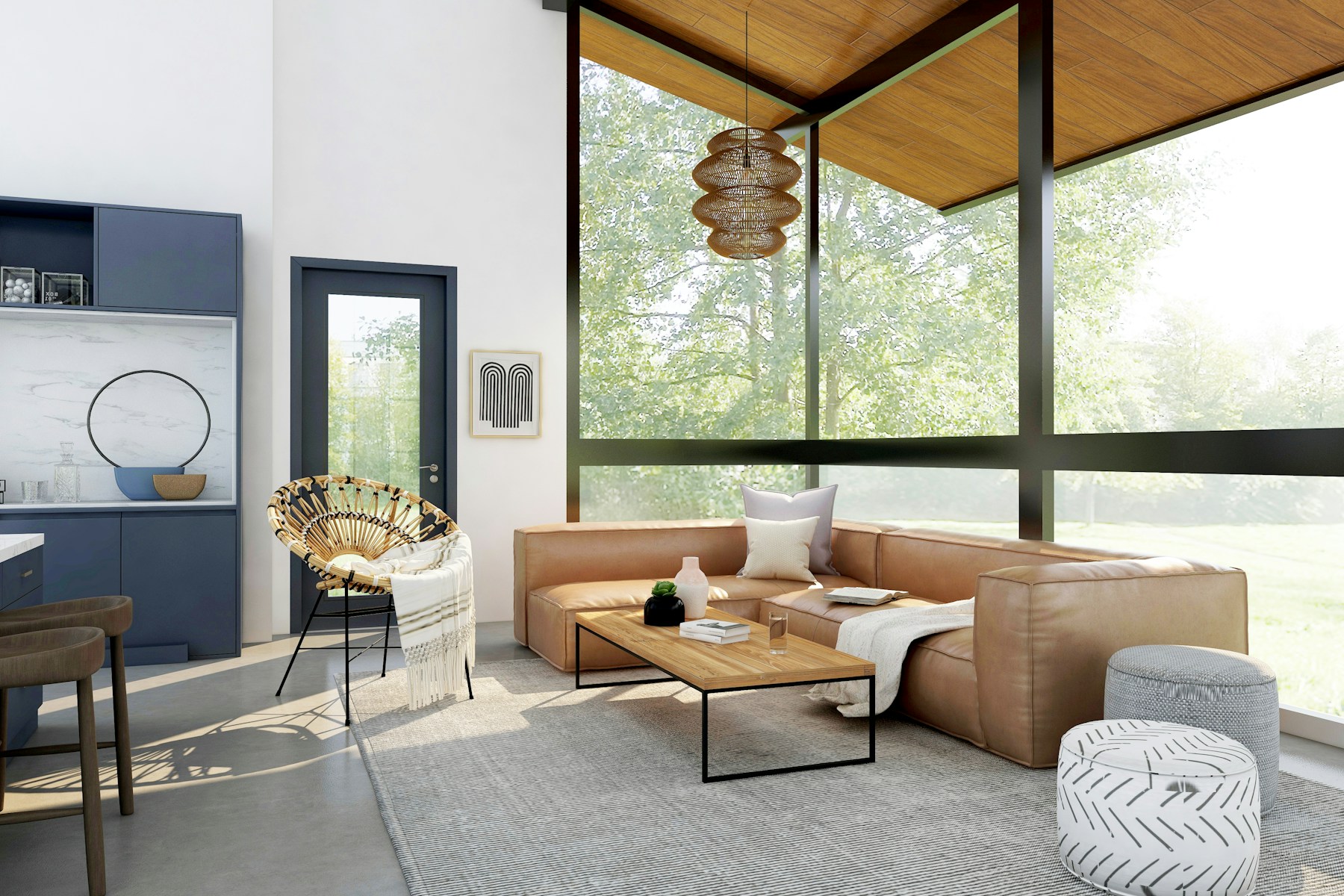
Most hosts do not decide to shoot their own photos because they think a phone beats a camera. They decide because a professional shoot costs money and calendar time they don't have this week, and the listing needs new photos now, not next month. That is a legitimate reason, and a phone can genuinely do the job , but only inside limits that most self-shot listings quietly ignore.
The two limits that matter most are orientation and honesty. A phone held sideways, in daylight, in a room that has actually been cleaned for the shot, can produce an image a marketplace search grid can use. A phone held vertically, or aimed to hide a real limitation of the house, produces something that photographs well in a highlight reel and fails the guest the moment they walk in.
This page does not claim a phone photo set outperforms a professional one on the metrics that matter most , conversion at scale, color consistency, wide-lens coverage of small rooms. It claims something narrower and more useful: a phone set can be good enough to book honestly, if a host follows a short, specific list rather than improvising. This is not legal advice.
Landscape is not a preference, it's the format the marketplace search grid actually uses
Every major booking platform displays search results as a wide, horizontal thumbnail. A vertical photo shot on a phone held upright gets cropped, letterboxed, or shrunk down to a sliver in that same grid , and a shrunk, cropped image reads as amateur even when the underlying photo was well composed. This is a mechanical fact about how the search results render, not a stylistic opinion, and it is the single most common mistake in a self-shot photo set.
The fix costs nothing: turn the phone sideways before shooting the cover image and every photo intended for the main gallery, not just some of them. Vertical shots still have a place , a phone held upright captures a tall staircase or a narrow hallway more naturally than landscape would , but they belong inside a listing's photo story, further down the gallery, not as the cover image competing in a search grid built for a horizontal frame.
A host who is unsure whether an existing photo set has this problem can check it fast: open the listing on a phone, the way most guests actually browse, and look at the search-result thumbnail specifically, not the full-size gallery image. If the cover photo looks cropped or squeezed there, it's vertical, and it needs to be replaced before anything else on this list gets attention.
Daylight and a genuinely clean room do more work than any camera upgrade
A phone's camera sensor is small, and small sensors struggle in low light , noise, blur from a slightly shaky hand, and colors that shift depending on what bulb is nearby. None of that is fixable by holding the phone more carefully. It is fixable by shooting during the daylight hours when a room actually looks the way a guest will experience it, with curtains open and overhead lights off unless the room genuinely needs them.
The room itself matters as much as the light. A phone camera has no ability to smooth over visual clutter the way a wide-angle lens and careful staging can; it captures exactly what is in the frame, including the charging cable on the counter and the shoes by the door. Clean the specific room being shot, not the house in general, immediately before pulling out the phone , not the night before, when normal life resets a straightened room within hours.
This is the tradeoff of phone photography stated plainly: it removes the cost of hiring a photographer, but it does not remove the labor of preparing the space. A host who shoots on a phone without also doing the staging work a professional would have insisted on ends up with a technically landscape, technically daylight photo that still looks unfinished.
What a phone genuinely cannot fake, and shouldn't try to
A phone lens has a narrower field of view than the wide lenses professional real estate and STR photographers use, which means small rooms photograph smaller on a phone than they will feel in person. Trying to compensate by standing in a doorway or a corner to squeeze in more of the room usually introduces distortion at the edges of the frame , a warped-looking countertop or a leaning doorframe , which reads as more deceptive than an honestly tight shot of a small room.
The better move for a small room is to accept the frame a phone can honestly deliver rather than fight it. Shoot the room straight-on, show what's actually there, and let a caption or the room count in the listing description do the work of setting size expectations, rather than trying to make a small bedroom look like a great room through camera trickery. A guest who arrives to a room that matches what the photo implied is a guest who leaves an accurate review; a guest who arrives to a room smaller than the photo implied is not.
The same honesty rule applies to composite or heavily edited images. A phone-shot set stitched together into a wide panorama, or brightened well past what the room's actual lighting can reproduce at check-in, creates the exact photo-review mismatch that shows up later as a guest complaint about accuracy , a different but related problem covered in this site's photo-review congruence piece.
A practical one-day list for a phone-only reshoot
Pick a day with genuine daylight , not necessarily sunny, but bright and even, which usually means late morning through mid-afternoon rather than the golden-hour light professional photographers chase. Clean each room immediately before shooting it, room by room, rather than cleaning the whole house first and shooting hours later.
Shoot every gallery-bound image in landscape orientation, standing at roughly guest eye level rather than crouching or reaching high, since guest eye level is closer to how the space will actually feel on arrival. Take more frames per room than seem necessary , three or four angles of the same space , since a phone's narrower field of view means more of those frames will end up unusable than a wide-lens camera would produce.
Review the full set on a phone screen specifically, in the search-result thumbnail size, before uploading anything. A photo that looks fine full-screen can still fail in the actual size a guest will scroll past it in. This is the cheapest and fastest quality check in the entire list, and it is the one most self-shot listings skip.
Related Reading
More independent-host photography and video reading already live on Crest & Cove.
Frequently Asked Questions
Can a phone actually replace a professional camera for vacation rental photos?
Not fully, and this page doesn't claim otherwise. A phone can produce a truthful, bookable set that respects landscape orientation and honest lighting, but it will not match a wide-lens camera's coverage of small rooms or a professional's consistent color grading across a full gallery. Treat a phone set as a legitimate stopgap or budget option, not a permanent substitute for a listing depending heavily on photo-driven bookings.
Why does photo orientation matter so much for vacation rental listings?
Booking platforms display search results as horizontal thumbnails, so a vertical photo gets cropped or shrunk in exactly the place a guest first sees the listing. This is a mechanical consequence of how the grid renders images, not a style preference. Shooting the cover image and main gallery photos in landscape avoids that penalty entirely, at no cost beyond turning the phone sideways.
What time of day is best for phone-only listing photos?
Bright, even daylight — typically late morning through mid-afternoon — works better for phone cameras than golden-hour light professional photographers often prefer, because a phone's small sensor struggles with the low, warm light and long shadows of early morning or evening. Open curtains, turn off unnecessary overhead lights, and shoot each room while it's actually well lit rather than after dark.
Should a small bedroom be photographed to look bigger than it is?
No. Trying to squeeze more of a small room into a phone's narrower field of view usually introduces distortion at the frame's edges, which reads as more deceptive than an honest, straight-on shot of a small space. Let the room look its actual size and use the listing description or room count to set size expectations instead. A guest who arrives to what the photo showed leaves a better review than one who doesn't.
Do vertical photos have any place in a vacation rental gallery?
Yes, but not as the cover image or primary search-result photo. A vertical shot can work further down the gallery for a genuinely tall or narrow feature — a staircase, a hallway — where landscape framing would waste most of the frame on empty wall. The rule is about what leads the gallery and appears in the search grid, not a blanket ban on vertical shots anywhere in the set.
How much room preparation does phone photography actually require?
As much as professional photography requires, arguably more, since a phone camera has no wide-angle lens or lighting setup to smooth over visual clutter. Clean the specific room being shot immediately before the photo, not the night before. A phone set that's technically landscape and technically well-lit still looks unfinished if the counter has a charging cable on it.
What's the fastest way to check if an existing photo set has an orientation problem?
Pull the listing up on a phone screen the way an actual guest would browse, rather than reviewing the gallery on a laptop where every image renders at full size regardless of its original shape. The search-result thumbnail is the tell: a landscape cover photo fills that space cleanly, while a vertical one gets visibly squeezed or letterboxed. That one glance takes less time than reviewing the whole gallery and catches the highest-impact problem first.
Should phone photos be brightened or edited to look better than the room does in person?
No — over-brightening or heavily editing a phone photo past what the room's actual daylight can reproduce creates a mismatch a guest will notice at check-in, and that mismatch tends to surface later as a review complaint about accuracy. Light edits for color balance are fine; edits that change what the room actually looks like are the kind of gap that costs more than a plain, honest photo would have.
Work with Crest & Cove Creative
A phone can shoot a photo set a guest will actually trust, but only inside two hard limits most self-shot listings ignore: landscape orientation, and a frame honest about what the room can't hide. Skip either one and the phone.
Work with Crest & Cove Creative when a phone-shot set has hit its ceiling and the listing needs photography built for the search grid, not just a well-lit room. We'll review your current gallery against the exact platform it's competing on before recommending anything.
Reach out at crestcove.co or (256) 998-7502.


Comments