
Editing Standards: Color, Verticals, and Trust-Safe Retouching

Updated: Aug 27
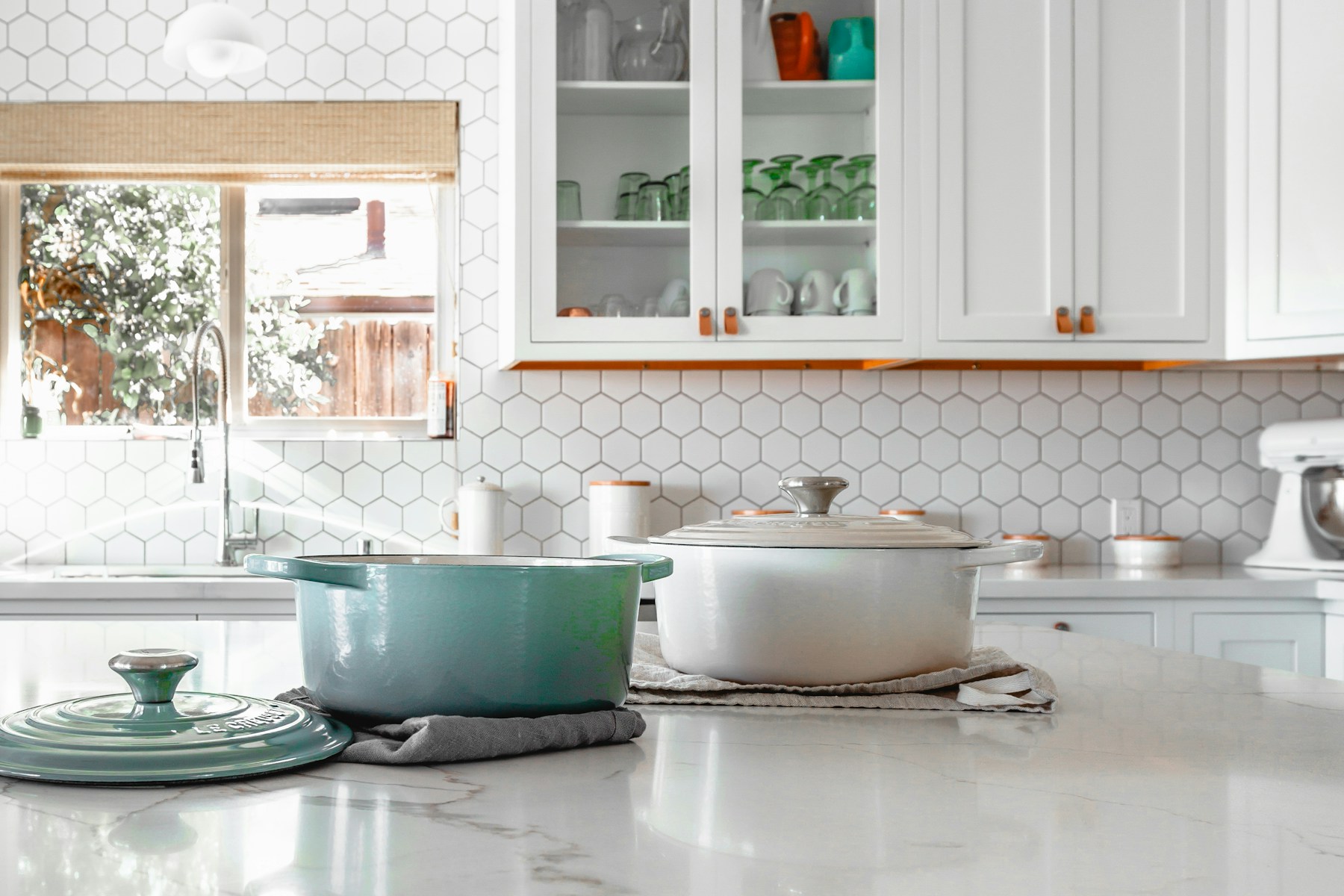
Edit for trust, not for a sky that was never there. Independent hosts editing their own listing photos, or reviewing a hired photographer's edits, need a clear line between corrections that make a photo represent the space more accurately and edits that quietly change what a guest will actually experience. Color, white balance, verticals, and what gets left in or cropped out of the frame all decide whether the search image matches the house the cleaner unlocks for the next guest.
Editing a vacation rental photo set is not a filter contest, and treating it like one — chasing a dramatic, saturated look because it performs well visually — creates exactly the kind of gap between search image and arrival reality that damages trust the moment a guest walks in. This is not legal advice, and it is not just a matter of taste: Airbnb's own listing-accuracy policy treats digitally altered photos that change what a guest will experience as a platform violation, with real enforcement attached.
Color and white balance the guest will actually walk into
Correcting white balance so a room's true colors read accurately under mixed lighting is a legitimate, necessary edit — cameras frequently misread color temperature under indoor lighting, and correcting that is restoring accuracy, not creating an illusion. The line is crossed when color correction shifts into color invention: making a dim room look bright, a beige wall look white, or a worn floor look freshly refinished.
A useful test: would the correction still look accurate if the guest stood in the room at the same time of day the photo was taken? If the corrected photo shows lighting or color that the room does not actually produce under normal conditions, the edit has moved from correction into misrepresentation.
Verticals, windows, and the wide-angle lie
Correcting vertical lines that a wide-angle lens naturally distorts — making walls look like they lean inward — is a standard, honest correction that improves how accurately a photo represents a room's actual proportions. This is different from using an extremely wide angle specifically to make a small room appear larger than it is, which is a composition choice that misleads regardless of whether any post-processing distortion correction is applied afterward.
Windows deserve similar care: a photo edited so a window shows a bright, clear view when the actual view is of a parking lot or a neighboring wall is a specific and common way editing crosses from correction into deception, since window views are something guests specifically evaluate when choosing a room.
What retouching may not remove or guess
Retouching cannot guess weather that was not present, hide a permanent feature like a shared wall behind an angle that will not exist when the guest actually opens the door, or remove something the guest will see with luggage in hand on arrival — a nearby dumpster, a cracked walkway, a visible neighboring structure. If the guest will see it, it either belongs in the frame or belongs described elsewhere in the listing with plain language.
It also cannot turn a one-time staging choice — fresh flowers, a perfectly folded blanket — into an implied permanent feature of the space. A staged detail that will not be there for every guest should not be presented as if it will be, and heavy retouching that implies a staged moment is the everyday condition of the room creates the same kind of gap as any other photo overclaim.
The composite failure: a lawn cloned over a parking lot
The clearest version of this failure is a listing photo where a visible parking lot or unattractive adjacent feature has been cloned out and replaced with grass or landscaping that does not exist at the property, using photo-editing tools capable of that kind of manipulation. The guest who arrives and sees the actual parking lot feels specifically deceived, not just mildly surprised, because the edit did not correct a lighting or color issue — it fabricated a feature of the property that was never there.
This is a categorically different problem than color correction or vertical alignment. Those edits restore accuracy; cloning out a real feature and replacing it with a guessed one destroys it, and it is the kind of edit that, once discovered, colors how a guest reads every other photo in your set retroactively.
What Airbnb's own accuracy policy actually requires
This is not purely a matter of a host's personal editing philosophy. Airbnb's Ground rules for home hosts, published as help article 2895, require photos and the listing description to accurately represent the space provided, allowing only minor differences for hotel-like representative listing stock where identical units are pictured interchangeably. The article states plainly that any content which misrepresents the listing or misleads guests violates the platform's listing-accuracy policy — the same standard this page has been describing, just codified as a platform rule rather than a host's own judgment call.
Airbnb has been explicit that this covers digital editing specifically, not just staging or description wording. The platform says it will ask hosts to remove content if AI or other digital technology has been used to edit flaws, hide damage, add amenities or attributes that are not part of a listing, or otherwise misrepresent the listing. A cloned-out parking lot or an guessed window view falls squarely inside that language, not in some gray area a host could argue their way around.
Article 2895 also covers a case that is easy to overlook: amenity access. A pool photographed as if it is always available, when it is actually open only certain hours or months, needs that restriction disclosed in the listing rather than shown as unconditional. This is the same accuracy logic applied to scheduling rather than to the image itself — the guest's actual experience has to match what the photo and listing implied, whether the gap is visual or operational.
What enforcement actually looks like, and why this framework holds up legally
Enforcement under article 2895 is not limited to a polite request. Airbnb's stated range of consequences includes requiring hosts to remove misleading content, formal warnings, listing suspension or removal, loss of Superhost status, and refunds issued from a host's payout when a stay does not match what the listing showed. That last consequence is worth sitting with: a misleading photo does not just risk a bad review, it can directly cost a host money pulled back out of a completed booking.
The underlying logic matches a framework regulators already use elsewhere. The Federal Trade Commission's food-advertising enforcement policy, used broadly as the agency's general deception framework for implied claims, evaluates the overall net impression a phrase or image creates for a reasonable consumer, not just whether any single technical detail was literally false. Airbnb's parallel platform rule follows the same logic: a digitally altered listing photo that changes what a guest will actually experience is treated as misrepresentation, regardless of whether the host would describe the edit as minor. A host asking whether an edit has gone too far is really asking the same question a regulator would ask about an ad's net impression.
Getting the technical basics right before you worry about editing style
Some of what separates an accurate, trust-building photo set from a misleading one starts before editing even begins, at the capture and upload stage. Airbnb's Superhost Resource Center, updated March 19, 2025, tells hosts to upload horizontal, high-resolution images of at least 800 by 1,200 pixels, with larger file sizes generally better, up to roughly 10 megabytes. A separate Refresh your listing article from Airbnb's Resource Centre similarly recommends landscape photos with ample lighting, uploading the largest file size available — at least 1024 by 683 pixels — and using the photo tour feature to sort images by room so a guest can navigate the space logically rather than guessing which photo belongs where.
None of these technical specifications are about deception, but they intersect with it in a practical way: a low-resolution or poorly lit original photo creates more temptation to over-correct in editing to compensate, which is exactly the pressure point where color correction tends to slide into color invention. Getting the capture right — good ambient light, a horizontal frame, a resolution well above the platform minimum — reduces how much editing is needed at all, which is the simplest way to stay on the correction side of the line described throughout this page.
How editing choices sit next to reviews
Guests who feel a photo set oversold their space tend to express that specifically in review text about accuracy, separate from whatever else they thought of the stay itself — a guest can have a genuinely pleasant stay and still leave a review noting the photos looked better than reality. That specific kind of review is a direct, traceable signal that your editing has drifted from correction into overclaim, and it is worth tracking on its own, separate from your overall review score.
A 30-day watch after swapping in a new or heavily edited photo set is a reasonable check: monitor review text specifically for any comment about the space looking different than pictured, and treat even one such comment as a signal to review your editing choices, not as an isolated complaint to dismiss. Given that enforcement under article 2895 can include payout refunds and Superhost loss, a single accuracy complaint caught early is considerably cheaper to fix than a pattern of them discovered later through a platform review.
A working checklist before you publish a new photo set
Rather than relying on a single gut check, it helps to run a new or refreshed photo set through a short, repeatable sequence before publishing. Start with the resolution and orientation basics: is every hero image horizontal, at or above the 800-by-1,200-pixel minimum Airbnb's Superhost guidance recommends, and uploaded at close to its largest available file size rather than compressed down for a faster upload. A technically weak original photo is the single biggest driver of the over-correction pressure described earlier in this page.
Next, walk through each edited image and ask the same accuracy question specifically, room by room: does this photo show lighting, color, and proportion the room actually produces at a similar time of day, or has the edit pushed past correction into invention. Pay particular attention to windows and any exterior feature visible from an angle used in the set — a parking lot, a neighboring structure, a shared wall — since these are the two areas this page has identified as the most common and most damaging places editing quietly crosses the line.
Finally, check the set against Airbnb's own amenity-disclosure logic from article 2895: if a pool, view, or feature shown in a photo is not available to every guest at every time of stay, the listing description needs to say so explicitly rather than letting the photo imply unconditional access. This final check catches the operational version of the same accuracy problem the rest of this page addresses on the visual side, and it is worth doing every time a photo set changes, not just at initial listing setup.
Why getting this right protects more than one listing
A host managing more than one property has an additional reason to take this seriously beyond any single unit's reviews. Airbnb's enforcement framework under article 2895 is tied to the host account and the specific listing found in violation, but a pattern of accuracy complaints across a host's portfolio is the kind of signal that invites closer platform scrutiny generally, not just on the flagged listing. Treating editing standards as a fixed policy applied consistently across every property, rather than a case-by-case judgment call made fresh each time a new set comes in, is the more defensible approach for any host operating at more than a single-unit scale.
It is also worth remembering that the FTC's net-impression framework, which Airbnb's own rule mirrors, does not require proof that a host intended to deceive anyone. It asks what overall impression a reasonable guest would take away from the image and the listing together. A host who genuinely believed a heavily brightened, color-shifted photo was just good editing can still end up on the wrong side of that standard if the net impression created a meaningfully different expectation than what the guest experiences on arrival. Intent is not the test; the gap between the photo and the room is.
That is precisely why the correction-versus-invention test described earlier in this page is worth applying deliberately rather than trusting instinct alone once a host has invested time and money into a photo shoot. The instinct to make a listing look its best is not the problem; the problem is when that instinct is not checked against what the room actually produces under normal conditions before the photo goes live.
Related Reading
More independent-host photography and video reading is already live on Crest & Cove.
Related Reading
More independent-host photography and video reading already live on Crest & Cove.
Frequently Asked Questions
Is correcting white balance in a listing photo considered misleading?
No, correcting white balance restores a room's true colors when a camera has misread the color temperature under mixed indoor lighting, which is a standard and accurate correction. It becomes a problem only when the correction pushes further, making a dim room look bright or a worn surface look freshly finished, which is invention rather than correction.
Can I use a wide-angle lens to make a small room look bigger?
Correcting the vertical distortion a wide-angle lens naturally introduces is a legitimate edit that improves accuracy, but using an extremely wide angle specifically to make a room appear larger than its actual proportions is a composition choice that misleads guests, regardless of whether the distortion is corrected afterward.
Is it okay to edit a window view to look better than it actually is?
No. If a window's actual view is a parking lot or a neighboring wall, editing the photo to show a bright, clear view instead is a specific and common way photo editing crosses from correction into deception. Window views are something guests actively evaluate, making this particular edit especially damaging to trust.
Can I use staged details like fresh flowers in my listing photos?
Yes, staging is fine, but avoid presenting a one-time staging choice as if it is the room's permanent condition. If fresh flowers or a specific styled detail will not be there for every guest, the photo should not imply through heavy retouching that this is the room's everyday state.
What is the difference between color correction and color invention?
Color correction restores what a room's true colors and lighting look like when a camera has misrepresented them. Color invention changes how the room actually appears — brightening it beyond its real lighting conditions or altering wall color — creating a gap between the photo and what a guest will see in person at a similar time of day.
Why is cloning out a real feature, like a parking lot, worse than typical photo editing?
Because it fabricates a feature that never existed rather than correcting how an existing feature is represented. A guest who discovers this kind of edit feels specifically deceived, and it tends to color how they read every other photo in your set retroactively, unlike a lighting correction, which restores accuracy rather than destroying it.
What does Airbnb's listing-accuracy policy actually say about edited photos?
Airbnb's help article 2895 requires photos and descriptions to accurately represent the space, with only minor allowances for hotel-like representative inventory. It explicitly covers AI or other digital editing used to hide flaws or damage, add amenities that are not part of the listing, or otherwise misrepresent the space, and treats any of that as a policy violation.
What can actually happen to a host caught with misleading listing photos?
Enforcement under article 2895 ranges from being required to remove the misleading content and receiving a formal warning, up to listing suspension or removal, loss of Superhost status, and refunds pulled from the host's payout when a stay does not match what the listing showed.
Does Airbnb's photo policy cover amenities like pools, or just images?
Both. Article 2895 also requires hosts to disclose amenity-access restrictions, such as a pool that is only available certain hours or months, rather than showing that amenity in photos as if it were always available. The same accuracy standard applies to scheduling and access, not just to the visual content of the photo itself.
What image specifications does Airbnb actually recommend for listing photos?
Airbnb's Superhost Resource Center recommends horizontal, high-resolution images of at least 800 by 1,200 pixels, with larger file sizes generally preferred, up to about 10 megabytes. A separate Refresh your listing article recommends landscape photos with ample lighting, the largest available file size at a minimum of 1024 by 683 pixels, and sorting photos by room using the photo tour feature.
How do I know if my photo editing has gone too far?
Ask whether the corrected photo would still look accurate if a guest stood in the room at the same time of day the photo was taken. If the answer is no — the room does not actually produce that lighting, color, or view under normal conditions — the edit has moved from correction into misrepresentation.
Should I monitor reviews specifically for comments about photo accuracy?
Yes, especially in the 30 days after swapping in a new or heavily edited photo set. A review noting the space looked different than pictured is a direct, traceable signal that your editing has drifted from correction into overclaim, and even one such comment is worth treating as a signal to review your editing standards.
Work with Crest & Cove Creative
Editing Standards: Color, Verticals, and Trust-Safe Retouching only works when the listing shows operable facts guests can check. Cut soft slogans that hide the real stay.
Send us your current photo set and we will flag every edit that has moved past correction into overclaim, checked against Airbnb's own article 2895 accuracy standard. Reach Crest & Cove Creative at crestcove.co or (256) 998-7502.
Reach out at crestcove.co or (256) 998-7502.


Comments